

- Insufficient resources can cause slow inference, out-of-memory errors, or failed deployments.
- Excess resources increase cost without improving performance.
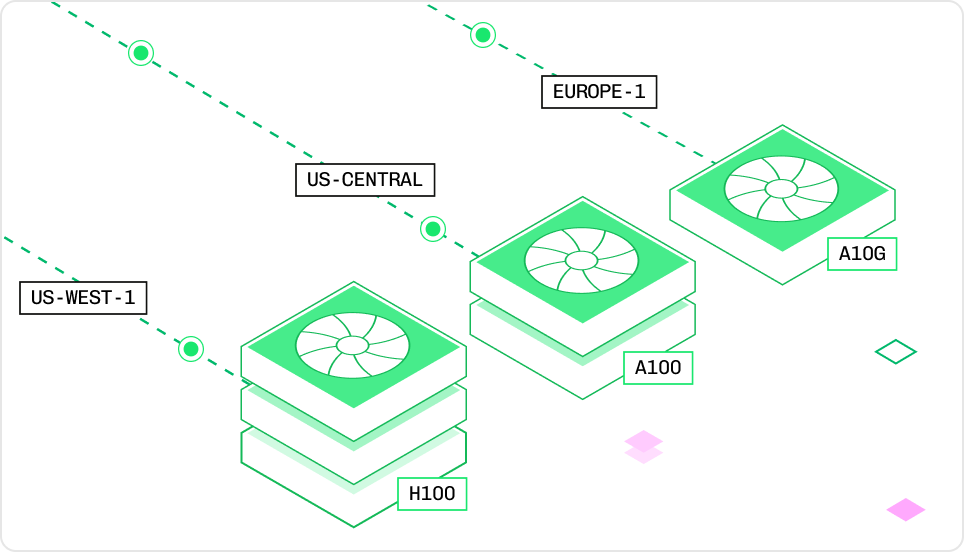
Instance type resource components
- Instance: The hardware allocated to an inference replica.
- Node: A compute server that provides the instance’s CPU, RAM, GPUs, and VRAM.
- vCPU: Virtual CPU cores for general computation.
- RAM: Memory available to the CPU.
- GPU: Hardware for accelerated model execution.
- VRAM: Memory available to the GPU.
Configure model resources
Define resources inconfig.yaml before deployment, or update a published deployment through the Baseten dashboard.
Define resources in Truss
Define resource requirements inconfig.yaml before running baseten model push. The push creates one of two deployment types:
- Published deployment:
baseten model pushcreates a published deployment with the resources inconfig.yaml. - Development deployment:
baseten model push --watchreplaces the development deployment with the specified resources and watches for changes. Usebaseten model watchto resume watching it.
baseten model push --environment <name>. To promote an existing deployment to production, use baseten model deployment promote. The Truss CLI combines both steps in truss push --promote.
Changes to
config.yaml only affect new deployments. To update resources on an existing published deployment, edit resources in the Baseten dashboard.Individual resource fields
config.yaml
cpu: "3"orcpu: "4"maps to a 4-core instance.- Values from
cpu: "5"throughcpu: "8"map to an 8-core instance.
Gi in resources.memory means gibibytes rather than gigabytes.Exact instance type
An instance type is the SKU for a specific hardware configuration. When you set individual fields such ascpu and accelerator, Baseten selects the smallest matching instance. Set instance_type to choose an exact SKU.
Use instance_type when you:
- Know the exact hardware configuration you need.
- Want to ensure consistent instance selection across deployments.
- Are following a recommendation for a specific model (for example, “use an L4 with 4 vCPUs and 16 GiB RAM”).
config.yaml
L4:4x16 means an L4 GPU with 4 vCPUs and 16 GiB of RAM. Naming conventions vary by GPU family, so copy the exact instance type from the instance type reference. When instance_type is specified, other resource fields (cpu, memory, accelerator, use_gpu) are ignored.
Update resources in the Baseten dashboard
Update resources on an existing published deployment through the Baseten dashboard. Changing the instance type creates a copy of the deployment on the selected hardware. For a list of available instance types, see the instance type reference.Multi-node deployments
For models that don’t fit on a single node, setnode_count in resources to provision multiple identical nodes for one deployment. Each node gets the resources you specify, and Baseten connects the nodes with high-speed InfiniBand for inter-node communication.
config.yaml
trt_llm.inference_stack: v2 in config.yaml when compiling the engine for a multi-node deployment.
Instance type reference
Use the following tables to compare specifications and prices for available instance types.CPU-only instances
CPU-only instances suit workloads that do not require GPU acceleration.- Starts at: $0.00058/min
- Best for: Transformers pipelines, small QA models, text embeddings
To select a CPU-only instance, use the bare
<vCPU>x<MEMORY> SKU (for example, instance_type: "4x16").
Example workloads:
1x2: Text classification (for example, Truss quickstart)4x16: LayoutLM Document QA4x16+: Sentence Transformers embeddings on larger corpora
GPU instances
Accelerated inference for LLMs, diffusion models, and Whisper.
To select a GPU instance with
instance_type:
- Single L4 or A100:
<GPU>:<vCPU>x<MEMORY>(for example,"L4:4x16"). - Single T4 or A10G:
<GPU>x<vCPU>x<MEMORY>, with no colon (for example,"T4x4x16","A10Gx8x32"). - Multi-GPU:
<GPU>:<COUNT>x<vCPU>x<MEMORY>(for example,"A100:2x24x288"). - H100/H200/B200/RTX-PRO-6000:
<GPU>or<GPU>:<COUNT>(for example,"H100:2","RTX-PRO-6000:4"). - Fractional H100:
"H100MIG".
GPU details and workloads
T4
Turing-series GPU- 2,560 CUDA / 320 Tensor cores
- 16 GiB VRAM
- Best for: Whisper, small LLMs like StableLM 3B
L4
Ada Lovelace-series GPU- 7,680 CUDA / 240 Tensor cores
- 24 GiB VRAM, 300 GiB/s
- 121 TFLOPS (fp16)
- Best for: Small LLMs and diffusion models such as Stable Diffusion XL.
A10G
Ampere-series GPU- 9,216 CUDA / 288 Tensor cores
- 24 GiB VRAM, 600 GiB/s
- 70 TFLOPS (fp16)
- Best for: Mistral 7B, Whisper, Stable Diffusion/SDXL
A100
Ampere-series GPU- 6,912 CUDA / 432 Tensor cores
- 80 GiB VRAM, 1.94 TB/s
- 312 TFLOPS (fp16)
- Best for: Mixtral, Llama 2 70B (2 A100s), Falcon 180B (5 A100s), SDXL
H100
Hopper-series GPU- 16,896 CUDA / 640 Tensor cores
- 80 GiB VRAM, 3.35 TB/s
- 990 TFLOPS (fp16)
- Best for: Mixtral 8x7B, Llama 2 70B (2xH100), SDXL
H100MIG
Fractional H100 (3/7 compute, ½ memory)- 7,242 CUDA cores, 40 GiB VRAM
- 1.675 TB/s bandwidth
- Best for: Efficient LLM inference at lower cost than A100
RTX Pro 6000
Blackwell-series GPU- 96 GiB VRAM
- Best for: vision-language models and mid-size LLMs at lower cost than a datacenter GPU