

Install the agent toolkit
- Prompt
- Commands
To have your agent install the toolkit:Paste this prompt into your coding agent:
Install the Baseten CLI
The skill deploys and operates models through the Baseten CLI, which is built for agents: it never prompts when stdin isn’t a terminal,--wait blocks until a deployment is active and exits non-zero on failure, and every command supports --output json and --jq.
- Claude Code
- Cursor or VS Code
To sign in and confirm that the servers are connected:Run If Claude Code prompts before reading skill files, add this to
/mcp, select baseten, and choose Authenticate to sign in. Then run /mcp again. You should see:~/.claude/settings.json:/baseten.
The backend MCP server acts as you. It works in your account’s workspace and has your account’s permissions.
Configure your agent manually
Use these instructions if the installer doesn’t detect your agent. Add both MCP servers to your agent’s configuration, then install the skill withnpx skills add basetenlabs/baseten-skills. For a docs-only setup, add only baseten_docs.
- Cursor
- VS Code
- Claude Code
To add the MCP servers by hand:Add this to
mcp.json:mcp.json
npx add-mcp and npx skills add also detect Codex, Antigravity, Goose, Windsurf, and other supported agents. For GUI clients such as Claude Desktop, add both server URLs as custom connectors. Any MCP-compatible agent can use these URLs. You sign in to Baseten the first time each agent connects to the backend server.
Connect with an API key
Agents that run without a browser, such as agents in CI, can’t complete the sign-in. Connect them with an API key that has management permissions instead. Create a dedicated key in your API key settings so you can revoke the agent’s access without affecting inference or other tools. To add the backend MCP server with an API key: Store the key in theBASETEN_MCP_KEY environment variable, for example from your CI secret store. Then run the following command, which reads the key from the variable so it stays out of your shell history:
Next steps
Coding agents
Call Model APIs from Pi, Droid, or OpenCode, or install Baseten Switch for Claude Code, Codex CLI, or Pi.
Deploy your first model
Deploy a Hugging Face model with vLLM and the Baseten CLI.
Sandboxes
Give your application’s agents isolated environments to build and run code.
Pull docs into an agent without MCP
Pull docs into an agent without MCP
Append 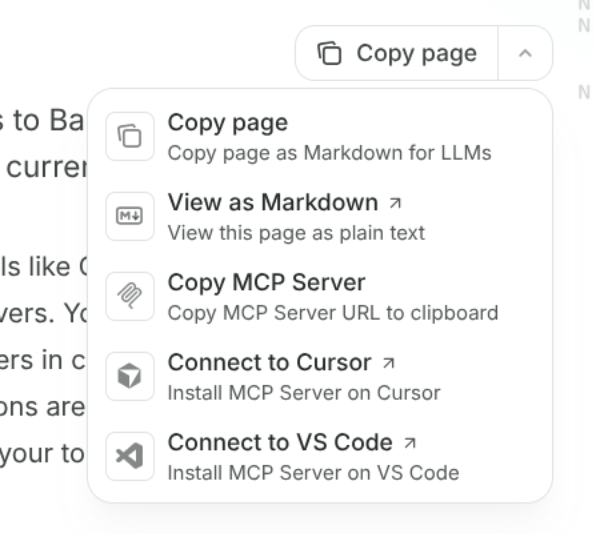
.md to any docs URL to open the page as Markdown. You can also use llms.txt to index the documentation or llms-full.txt to retrieve its full text. The Copy page button in the upper-right corner of each page copies the Markdown or opens it as plain text:baseten skill, install the lightweight docs skill instead: