> ## Documentation Index
> Fetch the complete documentation index at: https://docs.baseten.co/llms.txt
> Use this file to discover all available pages before exploring further.
# Resources
> Manage and configure model resources
Every AI/ML model on Baseten runs on an **instance**, a dedicated set of hardware allocated to the model server. Selecting the right instance type ensures **optimal performance** while controlling **compute costs**.
* **Insufficient resources**: Slow inference or failures.
* **Excess resources**: Higher costs without added benefit.
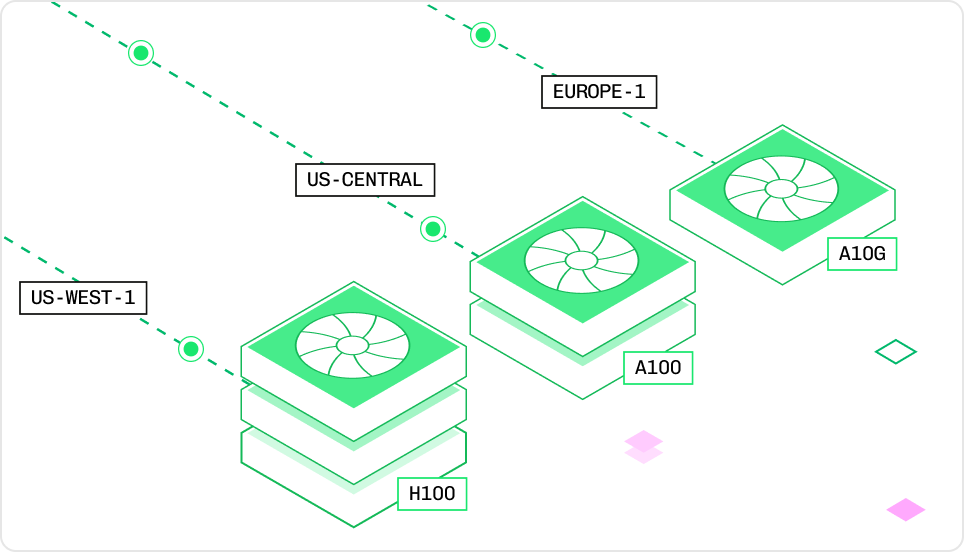 ## Instance type resource components
* **Instance**: The allocated hardware for inference.
* **Node**: The compute unit within an instance, comprising 8 GPUs with associated vCPU, RAM, and VRAM.
* **vCPU**: Virtual CPU cores for general computing.
* **RAM**: Memory available to the CPU.
* **GPU**: Specialized hardware for accelerated ML workloads.
* **VRAM**: Dedicated GPU memory for model execution.
## Configure model resources
Define resources **before deployment** in Truss or **adjust them later** through the Baseten UI.
### Define resources in Truss
Define resource requirements in [`config.yaml`](/development/model/configuration) before running `truss push`.
* **Published deployment** (`truss push`): Creates a new deployment (named sequentially: `deployment-1`, `deployment-2`, and so on) using the resources in [`config.yaml`](/development/model/configuration).
* **Development deployment** (`truss push --watch`): Overwrites the existing development deployment with the specified resource configuration and starts watching for changes. Use [`truss watch`](/development/model/deploy-and-iterate) to resume watching an existing development deployment.
* **Production deployment** (`truss push --promote`): Creates a new deployment and promotes it to production, replacing the active deployment.
* **Environment deployment** (`truss push --environment `): Deploys directly to a [custom environment](/deployment/environments) like staging.
Changes to `config.yaml` only affect new deployments. To update resources on an existing published deployment, edit resources in the [Baseten UI](#update-resources-in-the-baseten-ui).
You can configure resources in two ways:
#### Individual resource fields
```yaml config.yaml theme={"system"}
resources:
accelerator: L4
cpu: "4"
memory: 16Gi
```
Baseten provisions the **smallest instance that meets the specified constraints**:
* cpu: "3" or "4" → Maps to a 4-core instance.
* cpu: "5" to "8" → Maps to an 8-core instance.
`Gi` in `resources.memory` refers to **Gibibytes**, which are slightly larger
than **Gigabytes**.
#### Exact instance type
An instance type is the full SKU name that uniquely identifies a specific hardware configuration. When you specify individual resource fields like `cpu` and `accelerator`, Baseten selects the smallest instance that meets your requirements. With `instance_type`, you specify exactly which instance you want, no guessing required.
Use `instance_type` when you:
* Know the exact hardware configuration you need.
* Want to ensure consistent instance selection across deployments.
* Are following a recommendation for a specific model (for example, "use an L4 with 4 vCPUs and 16 GiB RAM").
```yaml config.yaml theme={"system"}
resources:
instance_type: "L4:4x16"
```
The format encodes the hardware specs. For example, `L4:4x16` means an L4 GPU with 4 vCPUs and 16 GiB of RAM. Naming conventions vary by GPU family, so copy the exact instance type from the [instance type reference](#instance-type-reference). When `instance_type` is specified, other resource fields (`cpu`, `memory`, `accelerator`, `use_gpu`) are ignored.
### Update resources in the Baseten UI
Once deployed, you can only update resource configurations **through the Baseten UI**. Changing the instance type deploys a copy of the deployment using the specified instance type.
For a list of available instance types, see the [instance type reference](/deployment/resources#instance-type-reference).
## Instance type reference
Specs and benchmarks for every Baseten instance type.
### CPU-only instances
Cost-effective options for lighter workloads. No GPU.
* **Starts at**: \$0.00058/min
* **Best for**: Transformers pipelines, small QA models, text embeddings
{/* Daily CI regenerates this from /v1/instance_type_prices. */}
| Instance | \$/min | vCPU | RAM |
| -------- | --------- | ---- | ------ |
| `1x2` | \$0.00058 | 1 | 2 GiB |
| `1x4` | \$0.00086 | 1 | 4 GiB |
| `2x8` | \$0.00173 | 2 | 8 GiB |
| `4x16` | \$0.00346 | 4 | 16 GiB |
| `8x32` | \$0.00691 | 8 | 32 GiB |
| `16x64` | \$0.01382 | 16 | 64 GiB |
To select a CPU-only instance, use the bare `x` SKU (for example, `instance_type: "4x16"`).
**Example workloads:**
* `1x2`: Text classification (for example, Truss quickstart)
* `4x16`: LayoutLM Document QA
* `4x16+`: Sentence Transformers embeddings on larger corpora
### GPU instances
Accelerated inference for LLMs, diffusion models, and Whisper.
{/* Daily CI regenerates this from /v1/instance_type_prices. */}
| Instance | \$/min | vCPU | RAM | GPU | VRAM |
| ---------------- | --------- | ---- | -------- | ---------------------- | -------- |
| `T4x4x16` | \$0.01052 | 4 | 16 GiB | 1 NVIDIA T4 | 16 GiB |
| `T4x8x32` | \$0.01504 | 8 | 32 GiB | 1 NVIDIA T4 | 16 GiB |
| `T4x16x64` | \$0.02408 | 16 | 64 GiB | 1 NVIDIA T4 | 16 GiB |
| `T4:2x24x96` | \$0.03912 | 24 | 96 GiB | 2 NVIDIA T4s | 32 GiB |
| `T4:4x48x192` | \$0.07824 | 48 | 192 GiB | 4 NVIDIA T4s | 64 GiB |
| `L4:4x16` | \$0.01414 | 4 | 16 GiB | 1 NVIDIA L4 | 24 GiB |
| `L4:2x24x96` | \$0.04002 | 24 | 96 GiB | 2 NVIDIA L4s | 48 GiB |
| `L4:4x48x192` | \$0.08003 | 48 | 192 GiB | 4 NVIDIA L4s | 96 GiB |
| `A10Gx4x16` | \$0.02012 | 4 | 16 GiB | 1 NVIDIA A10G | 24 GiB |
| `A10Gx8x32` | \$0.02424 | 8 | 32 GiB | 1 NVIDIA A10G | 24 GiB |
| `A10Gx16x64` | \$0.03248 | 16 | 64 GiB | 1 NVIDIA A10G | 24 GiB |
| `A10G:2x24x96` | \$0.05672 | 24 | 94 GiB | 2 NVIDIA A10Gs | 48 GiB |
| `A10G:4x48x192` | \$0.11344 | 48 | 188 GiB | 4 NVIDIA A10Gs | 96 GiB |
| `A10G:8x192x768` | \$0.32576 | 192 | 750 GiB | 8 NVIDIA A10Gs | 192 GiB |
| `A100:12x144` | \$0.06667 | 12 | 144 GiB | 1 NVIDIA A100 | 80 GiB |
| `A100:2x24x288` | \$0.13334 | 24 | 288 GiB | 2 NVIDIA A100s | 160 GiB |
| `A100:3x36x432` | \$0.20000 | 36 | 432 GiB | 3 NVIDIA A100s | 240 GiB |
| `A100:4x48x576` | \$0.26668 | 48 | 576 GiB | 4 NVIDIA A100s | 320 GiB |
| `A100:5x60x720` | \$0.33333 | 60 | 720 GiB | 5 NVIDIA A100s | 400 GiB |
| `A100:6x72x864` | \$0.40000 | 72 | 864 GiB | 6 NVIDIA A100s | 480 GiB |
| `A100:7x84x1008` | \$0.46667 | 84 | 1008 GiB | 7 NVIDIA A100s | 560 GiB |
| `A100:8x96x1152` | \$0.53333 | 96 | 1152 GiB | 8 NVIDIA A100s | 640 GiB |
| `H100` | \$0.10833 | 16 | 118 GiB | 1 NVIDIA H100 | 80 GiB |
| `H100:2` | \$0.21666 | 32 | 236 GiB | 2 NVIDIA H100s | 160 GiB |
| `H100:4` | \$0.43332 | 64 | 472 GiB | 4 NVIDIA H100s | 320 GiB |
| `H100:8` | \$0.86664 | 128 | 944 GiB | 8 NVIDIA H100s | 640 GiB |
| `H100MIG` | \$0.06250 | 8 | 59 GiB | Fractional NVIDIA H100 | 40 GiB |
| `H200` | \$0.12500 | 16 | 200 GiB | 1 NVIDIA H200 | 141 GiB |
| `H200:2` | \$0.25000 | 32 | 400 GiB | 2 NVIDIA H200s | 282 GiB |
| `H200:4` | \$0.50000 | 64 | 800 GiB | 4 NVIDIA H200s | 564 GiB |
| `H200:8` | \$1.00000 | 128 | 1600 GiB | 8 NVIDIA H200s | 1128 GiB |
| `B200` | \$0.16633 | 16 | 224 GiB | 1 NVIDIA B200 | 180 GiB |
| `B200:2` | \$0.33266 | 32 | 448 GiB | 2 NVIDIA B200s | 360 GiB |
| `B200:4` | \$0.66532 | 64 | 896 GiB | 4 NVIDIA B200s | 720 GiB |
| `B200:8` | \$1.33064 | 128 | 1792 GiB | 8 NVIDIA B200s | 1440 GiB |
| `RTX-PRO-6000` | \$0.06667 | 16 | 116 GiB | 1 NVIDIA RTX-PRO-6000 | 96 GiB |
| `RTX-PRO-6000:2` | \$0.13334 | 32 | 233 GiB | 2 NVIDIA RTX-PRO-6000s | 192 GiB |
| `RTX-PRO-6000:4` | \$0.26668 | 64 | 466 GiB | 4 NVIDIA RTX-PRO-6000s | 384 GiB |
| `RTX-PRO-6000:8` | \$0.53336 | 128 | 931 GiB | 8 NVIDIA RTX-PRO-6000s | 768 GiB |
H200 and B200 instances are available on request. [Contact us](mailto:support@baseten.co) to get access.
To select a GPU instance with `instance_type`:
* **Single L4 or A100**: `:x` (for example, `"L4:4x16"`).
* **Single T4 or A10G**: `xx`, with no colon (for example, `"T4x4x16"`, `"A10Gx8x32"`).
* **Multi-GPU**: `:xx` (for example, `"A100:2x24x288"`).
* **H100/H200/B200/RTX-PRO-6000**: `` or `:` (for example, `"H100:2"`, `"RTX-PRO-6000:4"`).
* **Fractional H100**: `"H100MIG"`.
Naming is not uniform across GPU families, so copy the exact SKU from the tables above.
### GPU details and workloads
#### T4
Turing-series GPU
* 2,560 CUDA / 320 Tensor cores
* 16 GiB VRAM
* **Best for:** Whisper, small LLMs like StableLM 3B
#### L4
Ada Lovelace-series GPU
* 7,680 CUDA / 240 Tensor cores
* 24 GiB VRAM, 300 GiB/s
* 121 TFLOPS (fp16)
* **Best for**: Stable Diffusion XL
* **Limit**: Not suitable for LLMs due to bandwidth
#### A10G
Ampere-series GPU
* 9,216 CUDA / 288 Tensor cores
* 24 GiB VRAM, 600 GiB/s
* 70 TFLOPS (fp16)
* **Best for**: Mistral 7B, Whisper, Stable Diffusion/SDXL
#### A100
Ampere-series GPU
* 6,912 CUDA / 432 Tensor cores
* 80 GiB VRAM, 1.94 TB/s
* 312 TFLOPS (fp16)
* **Best for**: Mixtral, Llama 2 70B (2 A100s), Falcon 180B (5 A100s), SDXL
#### H100
Hopper-series GPU
* 16,896 CUDA / 640 Tensor cores
* 80 GiB VRAM, 3.35 TB/s
* 990 TFLOPS (fp16)
* **Best for**: Mixtral 8x7B, Llama 2 70B (2xH100), SDXL
#### H100MIG
Fractional H100 (3/7 compute, ½ memory)
* 7,242 CUDA cores, 40 GiB VRAM
* 1.675 TB/s bandwidth
* **Best for**: Efficient LLM inference at lower cost than A100
#### RTX Pro 6000
Blackwell-series GPU
* 96 GiB VRAM
* **Best for**: vision-language models and mid-size LLMs at lower cost than a datacenter GPU
## Instance type resource components
* **Instance**: The allocated hardware for inference.
* **Node**: The compute unit within an instance, comprising 8 GPUs with associated vCPU, RAM, and VRAM.
* **vCPU**: Virtual CPU cores for general computing.
* **RAM**: Memory available to the CPU.
* **GPU**: Specialized hardware for accelerated ML workloads.
* **VRAM**: Dedicated GPU memory for model execution.
## Configure model resources
Define resources **before deployment** in Truss or **adjust them later** through the Baseten UI.
### Define resources in Truss
Define resource requirements in [`config.yaml`](/development/model/configuration) before running `truss push`.
* **Published deployment** (`truss push`): Creates a new deployment (named sequentially: `deployment-1`, `deployment-2`, and so on) using the resources in [`config.yaml`](/development/model/configuration).
* **Development deployment** (`truss push --watch`): Overwrites the existing development deployment with the specified resource configuration and starts watching for changes. Use [`truss watch`](/development/model/deploy-and-iterate) to resume watching an existing development deployment.
* **Production deployment** (`truss push --promote`): Creates a new deployment and promotes it to production, replacing the active deployment.
* **Environment deployment** (`truss push --environment `): Deploys directly to a [custom environment](/deployment/environments) like staging.
Changes to `config.yaml` only affect new deployments. To update resources on an existing published deployment, edit resources in the [Baseten UI](#update-resources-in-the-baseten-ui).
You can configure resources in two ways:
#### Individual resource fields
```yaml config.yaml theme={"system"}
resources:
accelerator: L4
cpu: "4"
memory: 16Gi
```
Baseten provisions the **smallest instance that meets the specified constraints**:
* cpu: "3" or "4" → Maps to a 4-core instance.
* cpu: "5" to "8" → Maps to an 8-core instance.
`Gi` in `resources.memory` refers to **Gibibytes**, which are slightly larger
than **Gigabytes**.
#### Exact instance type
An instance type is the full SKU name that uniquely identifies a specific hardware configuration. When you specify individual resource fields like `cpu` and `accelerator`, Baseten selects the smallest instance that meets your requirements. With `instance_type`, you specify exactly which instance you want, no guessing required.
Use `instance_type` when you:
* Know the exact hardware configuration you need.
* Want to ensure consistent instance selection across deployments.
* Are following a recommendation for a specific model (for example, "use an L4 with 4 vCPUs and 16 GiB RAM").
```yaml config.yaml theme={"system"}
resources:
instance_type: "L4:4x16"
```
The format encodes the hardware specs. For example, `L4:4x16` means an L4 GPU with 4 vCPUs and 16 GiB of RAM. Naming conventions vary by GPU family, so copy the exact instance type from the [instance type reference](#instance-type-reference). When `instance_type` is specified, other resource fields (`cpu`, `memory`, `accelerator`, `use_gpu`) are ignored.
### Update resources in the Baseten UI
Once deployed, you can only update resource configurations **through the Baseten UI**. Changing the instance type deploys a copy of the deployment using the specified instance type.
For a list of available instance types, see the [instance type reference](/deployment/resources#instance-type-reference).
## Instance type reference
Specs and benchmarks for every Baseten instance type.
### CPU-only instances
Cost-effective options for lighter workloads. No GPU.
* **Starts at**: \$0.00058/min
* **Best for**: Transformers pipelines, small QA models, text embeddings
{/* Daily CI regenerates this from /v1/instance_type_prices. */}
| Instance | \$/min | vCPU | RAM |
| -------- | --------- | ---- | ------ |
| `1x2` | \$0.00058 | 1 | 2 GiB |
| `1x4` | \$0.00086 | 1 | 4 GiB |
| `2x8` | \$0.00173 | 2 | 8 GiB |
| `4x16` | \$0.00346 | 4 | 16 GiB |
| `8x32` | \$0.00691 | 8 | 32 GiB |
| `16x64` | \$0.01382 | 16 | 64 GiB |
To select a CPU-only instance, use the bare `x` SKU (for example, `instance_type: "4x16"`).
**Example workloads:**
* `1x2`: Text classification (for example, Truss quickstart)
* `4x16`: LayoutLM Document QA
* `4x16+`: Sentence Transformers embeddings on larger corpora
### GPU instances
Accelerated inference for LLMs, diffusion models, and Whisper.
{/* Daily CI regenerates this from /v1/instance_type_prices. */}
| Instance | \$/min | vCPU | RAM | GPU | VRAM |
| ---------------- | --------- | ---- | -------- | ---------------------- | -------- |
| `T4x4x16` | \$0.01052 | 4 | 16 GiB | 1 NVIDIA T4 | 16 GiB |
| `T4x8x32` | \$0.01504 | 8 | 32 GiB | 1 NVIDIA T4 | 16 GiB |
| `T4x16x64` | \$0.02408 | 16 | 64 GiB | 1 NVIDIA T4 | 16 GiB |
| `T4:2x24x96` | \$0.03912 | 24 | 96 GiB | 2 NVIDIA T4s | 32 GiB |
| `T4:4x48x192` | \$0.07824 | 48 | 192 GiB | 4 NVIDIA T4s | 64 GiB |
| `L4:4x16` | \$0.01414 | 4 | 16 GiB | 1 NVIDIA L4 | 24 GiB |
| `L4:2x24x96` | \$0.04002 | 24 | 96 GiB | 2 NVIDIA L4s | 48 GiB |
| `L4:4x48x192` | \$0.08003 | 48 | 192 GiB | 4 NVIDIA L4s | 96 GiB |
| `A10Gx4x16` | \$0.02012 | 4 | 16 GiB | 1 NVIDIA A10G | 24 GiB |
| `A10Gx8x32` | \$0.02424 | 8 | 32 GiB | 1 NVIDIA A10G | 24 GiB |
| `A10Gx16x64` | \$0.03248 | 16 | 64 GiB | 1 NVIDIA A10G | 24 GiB |
| `A10G:2x24x96` | \$0.05672 | 24 | 94 GiB | 2 NVIDIA A10Gs | 48 GiB |
| `A10G:4x48x192` | \$0.11344 | 48 | 188 GiB | 4 NVIDIA A10Gs | 96 GiB |
| `A10G:8x192x768` | \$0.32576 | 192 | 750 GiB | 8 NVIDIA A10Gs | 192 GiB |
| `A100:12x144` | \$0.06667 | 12 | 144 GiB | 1 NVIDIA A100 | 80 GiB |
| `A100:2x24x288` | \$0.13334 | 24 | 288 GiB | 2 NVIDIA A100s | 160 GiB |
| `A100:3x36x432` | \$0.20000 | 36 | 432 GiB | 3 NVIDIA A100s | 240 GiB |
| `A100:4x48x576` | \$0.26668 | 48 | 576 GiB | 4 NVIDIA A100s | 320 GiB |
| `A100:5x60x720` | \$0.33333 | 60 | 720 GiB | 5 NVIDIA A100s | 400 GiB |
| `A100:6x72x864` | \$0.40000 | 72 | 864 GiB | 6 NVIDIA A100s | 480 GiB |
| `A100:7x84x1008` | \$0.46667 | 84 | 1008 GiB | 7 NVIDIA A100s | 560 GiB |
| `A100:8x96x1152` | \$0.53333 | 96 | 1152 GiB | 8 NVIDIA A100s | 640 GiB |
| `H100` | \$0.10833 | 16 | 118 GiB | 1 NVIDIA H100 | 80 GiB |
| `H100:2` | \$0.21666 | 32 | 236 GiB | 2 NVIDIA H100s | 160 GiB |
| `H100:4` | \$0.43332 | 64 | 472 GiB | 4 NVIDIA H100s | 320 GiB |
| `H100:8` | \$0.86664 | 128 | 944 GiB | 8 NVIDIA H100s | 640 GiB |
| `H100MIG` | \$0.06250 | 8 | 59 GiB | Fractional NVIDIA H100 | 40 GiB |
| `H200` | \$0.12500 | 16 | 200 GiB | 1 NVIDIA H200 | 141 GiB |
| `H200:2` | \$0.25000 | 32 | 400 GiB | 2 NVIDIA H200s | 282 GiB |
| `H200:4` | \$0.50000 | 64 | 800 GiB | 4 NVIDIA H200s | 564 GiB |
| `H200:8` | \$1.00000 | 128 | 1600 GiB | 8 NVIDIA H200s | 1128 GiB |
| `B200` | \$0.16633 | 16 | 224 GiB | 1 NVIDIA B200 | 180 GiB |
| `B200:2` | \$0.33266 | 32 | 448 GiB | 2 NVIDIA B200s | 360 GiB |
| `B200:4` | \$0.66532 | 64 | 896 GiB | 4 NVIDIA B200s | 720 GiB |
| `B200:8` | \$1.33064 | 128 | 1792 GiB | 8 NVIDIA B200s | 1440 GiB |
| `RTX-PRO-6000` | \$0.06667 | 16 | 116 GiB | 1 NVIDIA RTX-PRO-6000 | 96 GiB |
| `RTX-PRO-6000:2` | \$0.13334 | 32 | 233 GiB | 2 NVIDIA RTX-PRO-6000s | 192 GiB |
| `RTX-PRO-6000:4` | \$0.26668 | 64 | 466 GiB | 4 NVIDIA RTX-PRO-6000s | 384 GiB |
| `RTX-PRO-6000:8` | \$0.53336 | 128 | 931 GiB | 8 NVIDIA RTX-PRO-6000s | 768 GiB |
H200 and B200 instances are available on request. [Contact us](mailto:support@baseten.co) to get access.
To select a GPU instance with `instance_type`:
* **Single L4 or A100**: `:x` (for example, `"L4:4x16"`).
* **Single T4 or A10G**: `xx`, with no colon (for example, `"T4x4x16"`, `"A10Gx8x32"`).
* **Multi-GPU**: `:xx` (for example, `"A100:2x24x288"`).
* **H100/H200/B200/RTX-PRO-6000**: `` or `:` (for example, `"H100:2"`, `"RTX-PRO-6000:4"`).
* **Fractional H100**: `"H100MIG"`.
Naming is not uniform across GPU families, so copy the exact SKU from the tables above.
### GPU details and workloads
#### T4
Turing-series GPU
* 2,560 CUDA / 320 Tensor cores
* 16 GiB VRAM
* **Best for:** Whisper, small LLMs like StableLM 3B
#### L4
Ada Lovelace-series GPU
* 7,680 CUDA / 240 Tensor cores
* 24 GiB VRAM, 300 GiB/s
* 121 TFLOPS (fp16)
* **Best for**: Stable Diffusion XL
* **Limit**: Not suitable for LLMs due to bandwidth
#### A10G
Ampere-series GPU
* 9,216 CUDA / 288 Tensor cores
* 24 GiB VRAM, 600 GiB/s
* 70 TFLOPS (fp16)
* **Best for**: Mistral 7B, Whisper, Stable Diffusion/SDXL
#### A100
Ampere-series GPU
* 6,912 CUDA / 432 Tensor cores
* 80 GiB VRAM, 1.94 TB/s
* 312 TFLOPS (fp16)
* **Best for**: Mixtral, Llama 2 70B (2 A100s), Falcon 180B (5 A100s), SDXL
#### H100
Hopper-series GPU
* 16,896 CUDA / 640 Tensor cores
* 80 GiB VRAM, 3.35 TB/s
* 990 TFLOPS (fp16)
* **Best for**: Mixtral 8x7B, Llama 2 70B (2xH100), SDXL
#### H100MIG
Fractional H100 (3/7 compute, ½ memory)
* 7,242 CUDA cores, 40 GiB VRAM
* 1.675 TB/s bandwidth
* **Best for**: Efficient LLM inference at lower cost than A100
#### RTX Pro 6000
Blackwell-series GPU
* 96 GiB VRAM
* **Best for**: vision-language models and mid-size LLMs at lower cost than a datacenter GPU